DBine is a free, open-source (Apache 2.0) desktop database manager for Windows, macOS, and Linux that works with 130+ databases and cloud services. Besides a SQL editor, it includes notebooks, charts built from query results, and schema compare. DBine downloads the official DuckDB library the first time a DuckDB connection is opened, so no separate driver installation is required.
Installing DBine
- Download and install DBine from the releases page.
Connecting to a DuckDB Database
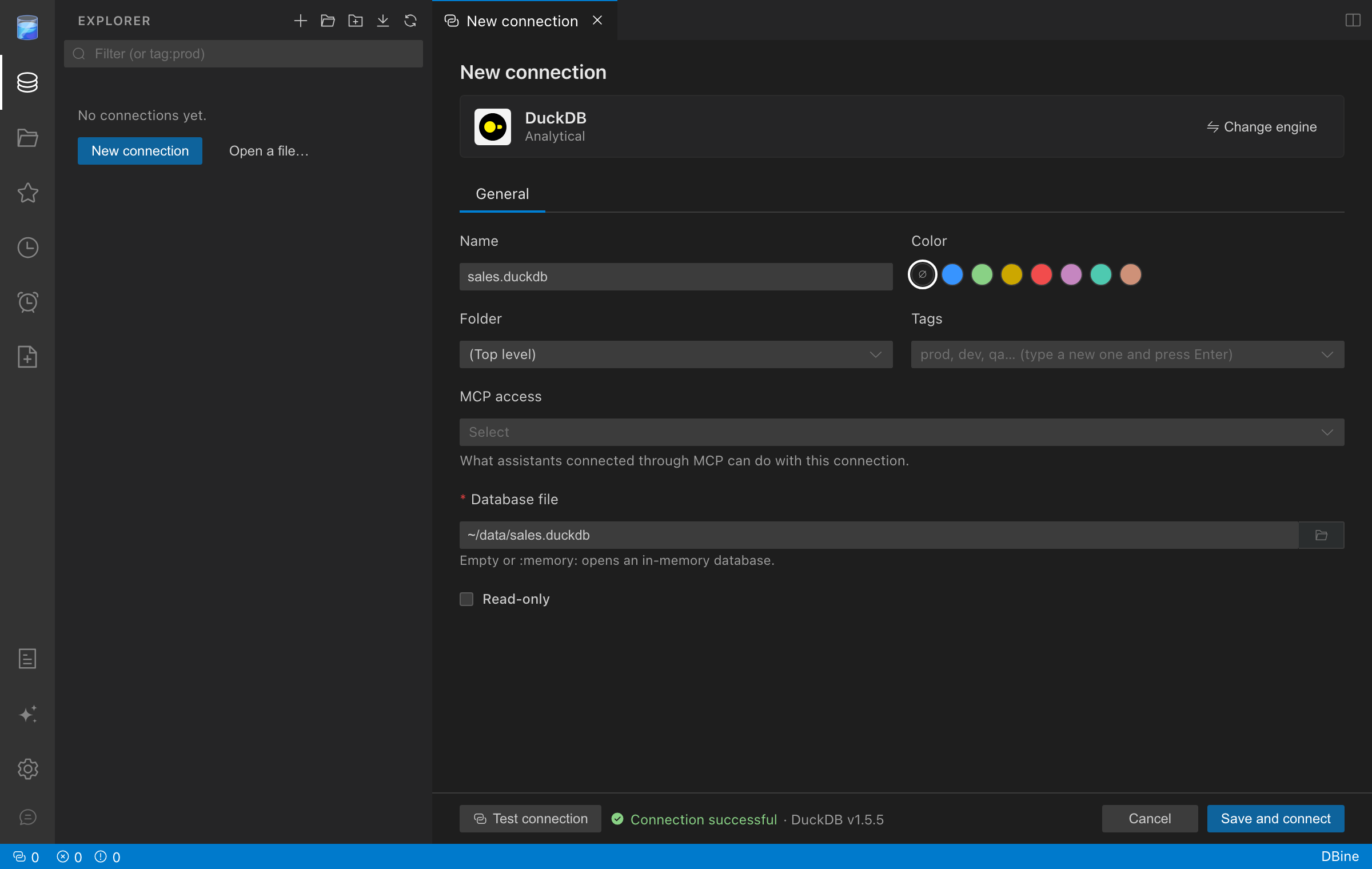
- Open DBine and click New connection, then select DuckDB from the list of engines.
- Give the connection a name and enter the path to your DuckDB database file in Database file, or click the folder button to pick it. Leave the field empty or enter
:memory:to open an in-memory database. -
Click Test connection to confirm the file can be opened, then click Save and connect.
DuckDB allows only one process to open a database file for writing at a time. If another process (for example, the DuckDB CLI) has the file open, close it before connecting.
-
The connection appears in the Explorer. Expand it to browse the schemas, tables, views, and columns of the database.
-
Right-click the database and choose New query, write a query, and click Run to see the results. Parquet, CSV, and JSON files can be queried directly from the editor:
sql
SELECT * FROM 'sales_2026.parquet' LIMIT 10;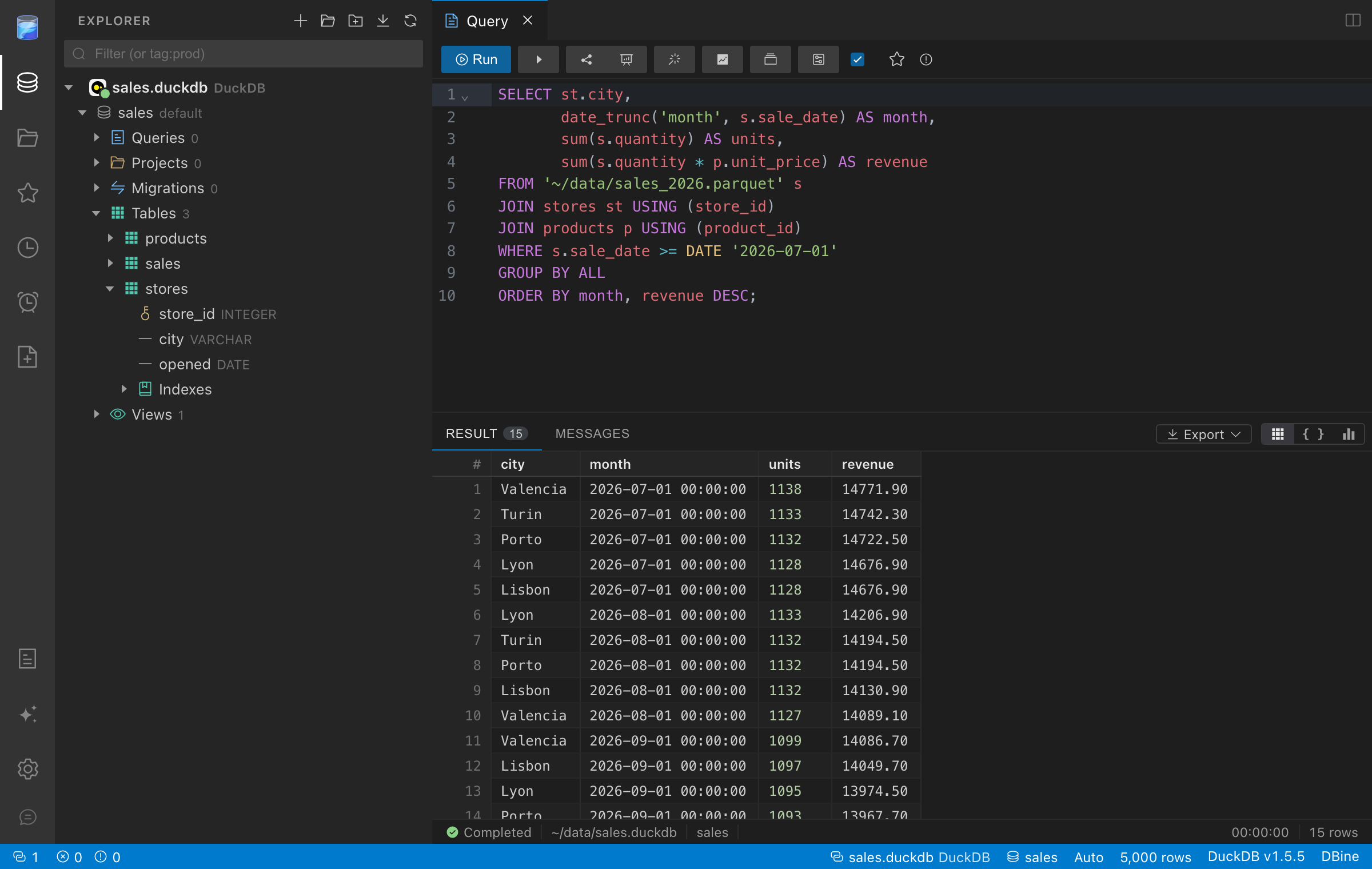
Now you are ready to query DuckDB with DBine.