Beekeeper Studio is a free, open-source SQL editor and database manager with a modern, easy-to-use interface. It is available for Windows, macOS, and Linux, and also offers a paid Ultimate tier with cloud sync and team-sharing features. Beekeeper Studio connects to DuckDB natively rather than through a JDBC or ODBC driver, so no separate driver installation is required.
Installing Beekeeper Studio
- Install Beekeeper Studio using the download links and instructions found at their download page.
Connecting to a DuckDB Database
-
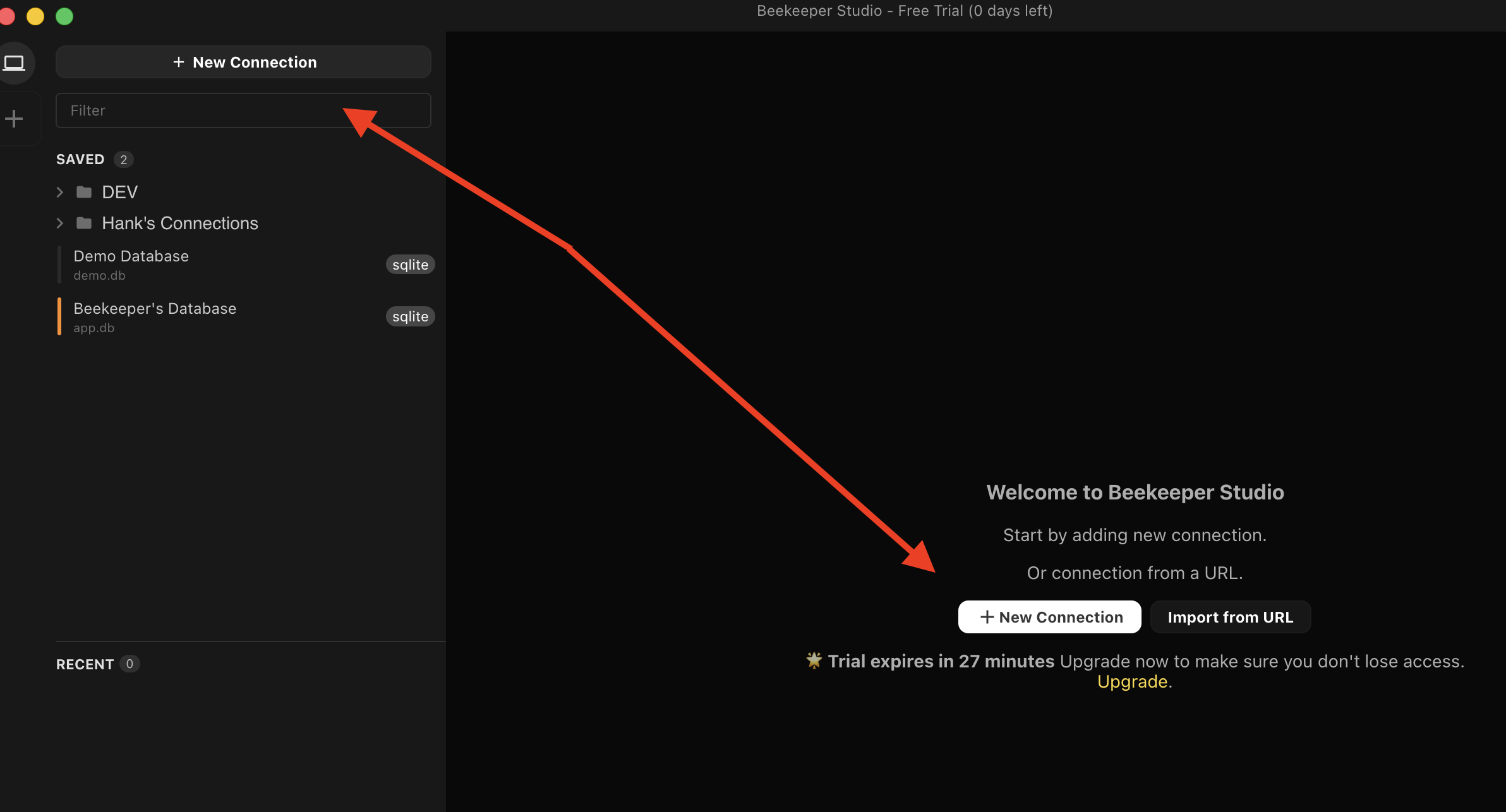
Open Beekeeper Studio and click New Connection.
-
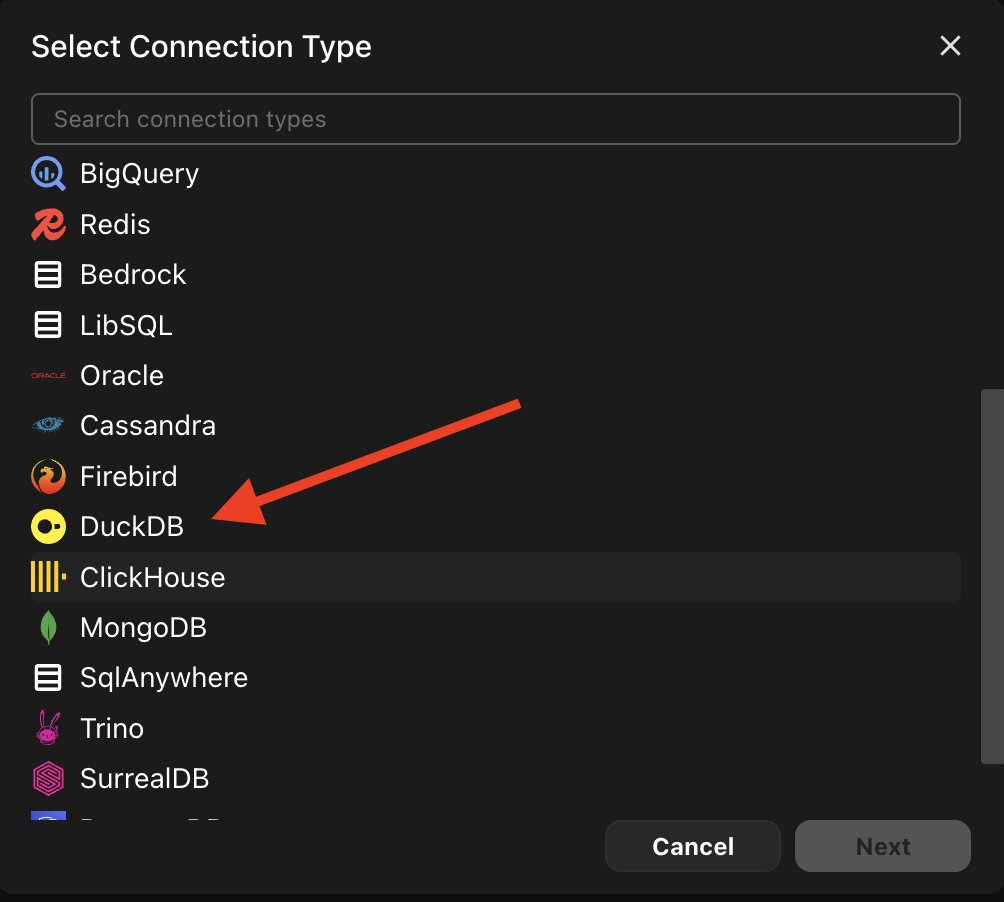
Select DuckDB from the connection type dropdown.
-
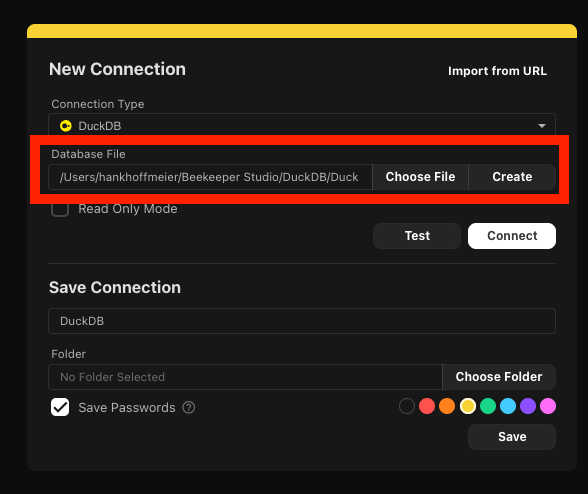
Enter the path to your DuckDB database file, or click Create to create a new one.
-
Optionally, name the connection and choose a color for the connection.
-
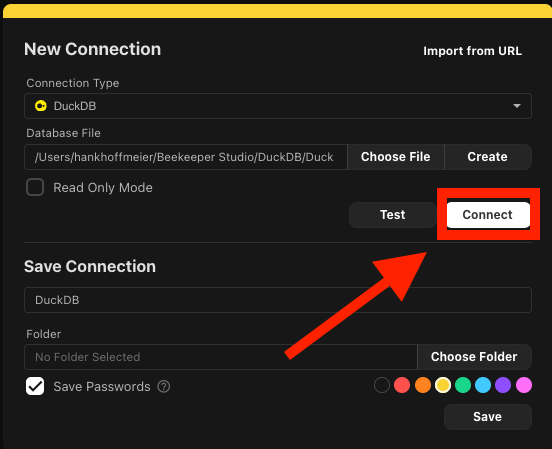
Click Connect.
-
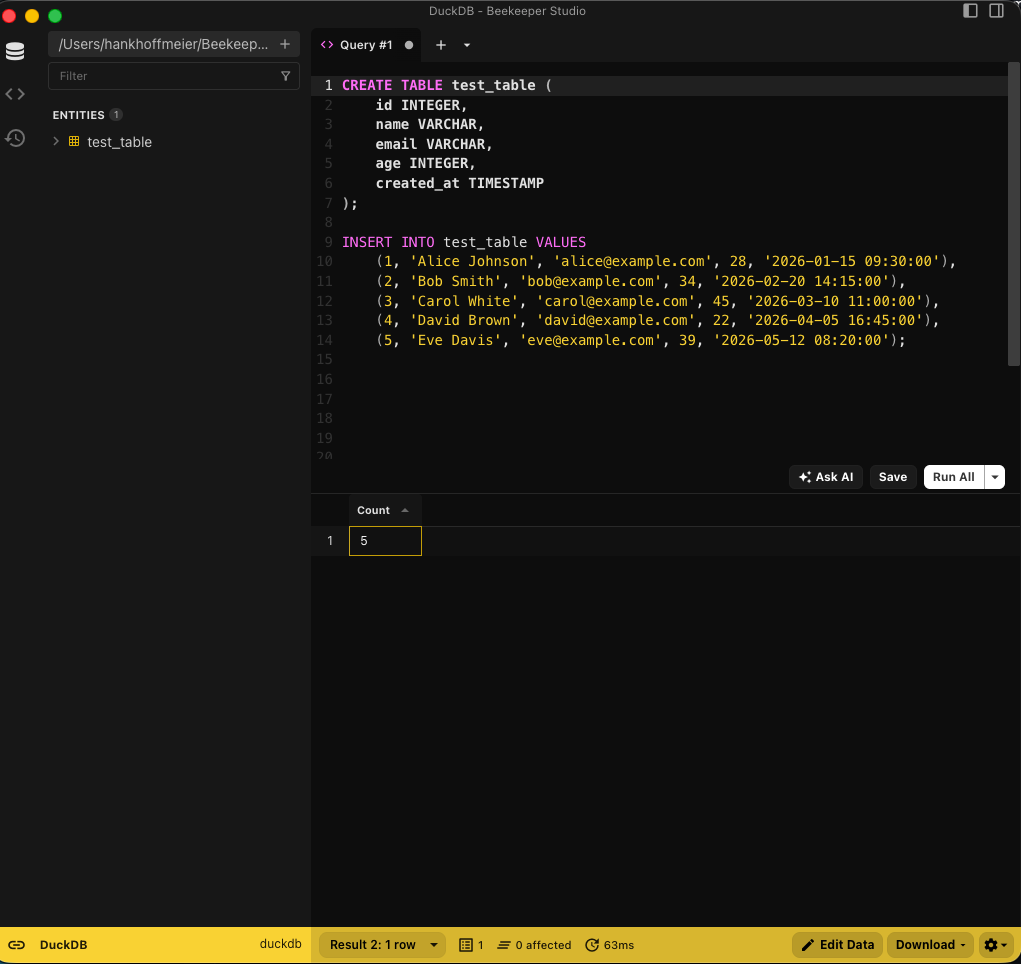
Once connected, you can browse tables and views in the left-hand sidebar.
-
Open a new SQL tab, write a query, and run it to see the results.
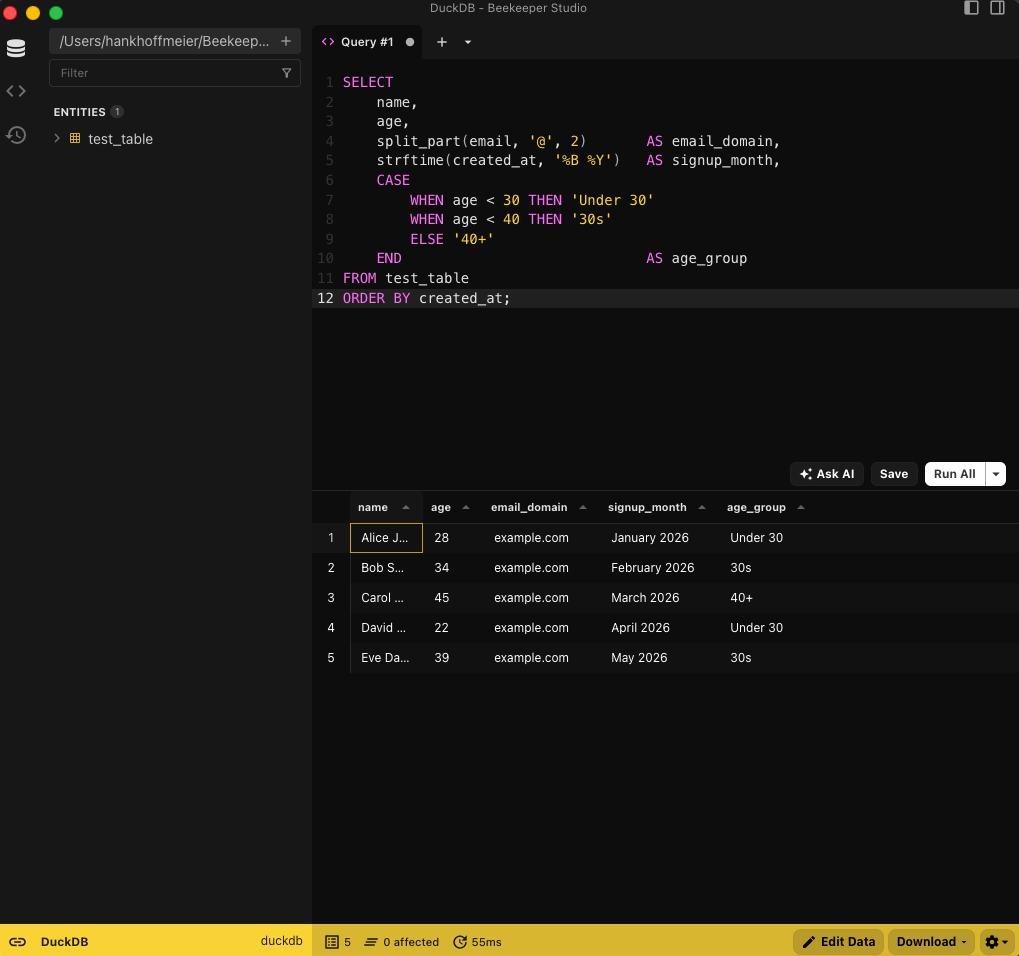
Now you're ready to query DuckDB with Beekeeper Studio.